Introduction to Python
3. Download Jupyter Notebooks from GitHub
Now you've installed Jupyter Lab in your QGIS OSGeo4W environment, you want to use it with Jupyter Notebooks.
- Go to Jupyter Notebook Introduction to Python 3 (GitHub)
- Click on Code and then on Download ZIP. Extract the ZIP-file to a folder where you want to work for this tutorial, e.g. Z:\Python_tutorials.

3. Start QGIS Desktop.
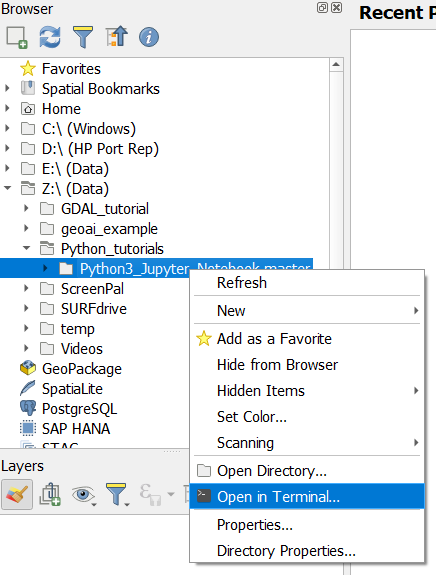
4. Navigate in the Browser panel to the folder with the Jupyter Notebooks, click right and choose Open in Terminal... from the context menu.
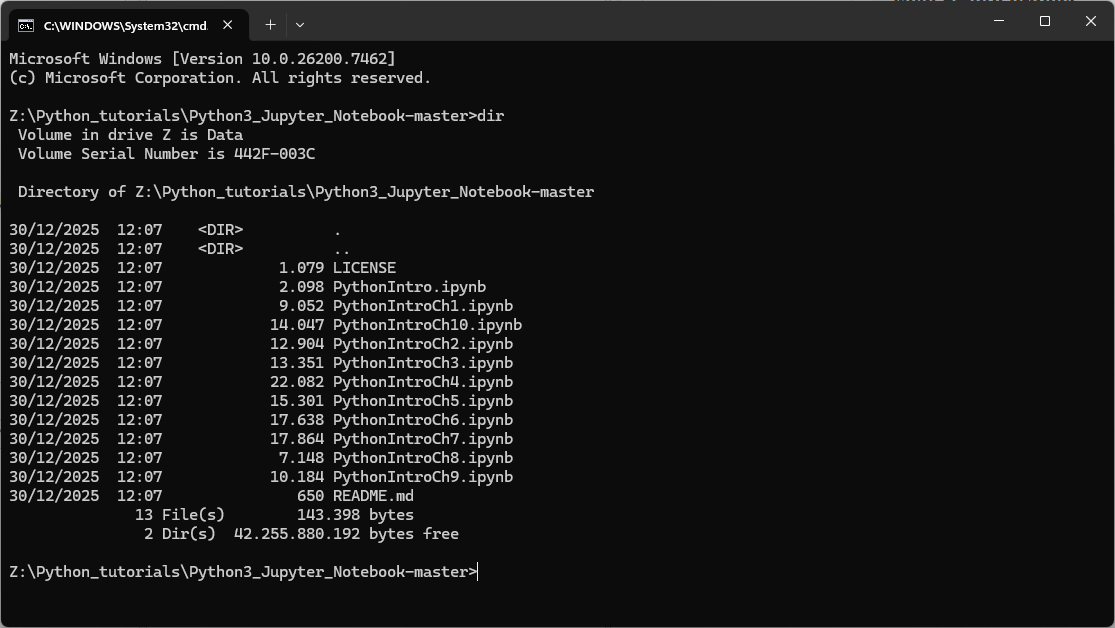
5. Check if the Jupyter Notebooks are there, using the dir command.
In the next chapter, you'll learn how to run and use Jupyter Notebooks.