درس تعليمي: التحليل المكاني باستخدام جبر الخرائط
5. عدم وجود صناعة أو مناجم أو مكبات نفايات ضمن مسافة 300 متر من الآبار
5.2. Create Zones of 300 Meters Around Industry, Mine, and Landfill
With the boolean map with True for industry, mine, and landfill we can calculate the distance to these pixels. Because the Proximity (Raster Distance) tool does not allow us to assign values for pixels larger than a threshold, we have to calculate
all distances and then use the Raster Calculator to calculate a boolean map with True for pixels further than 300 meters from industry, mine, and landfill.
1. Open the Proximity (Raster Distance) tool.
2. Make sure
that Industry is the Input layer. Keep all other settings as default. Name the Output proximity map inddist.tif.
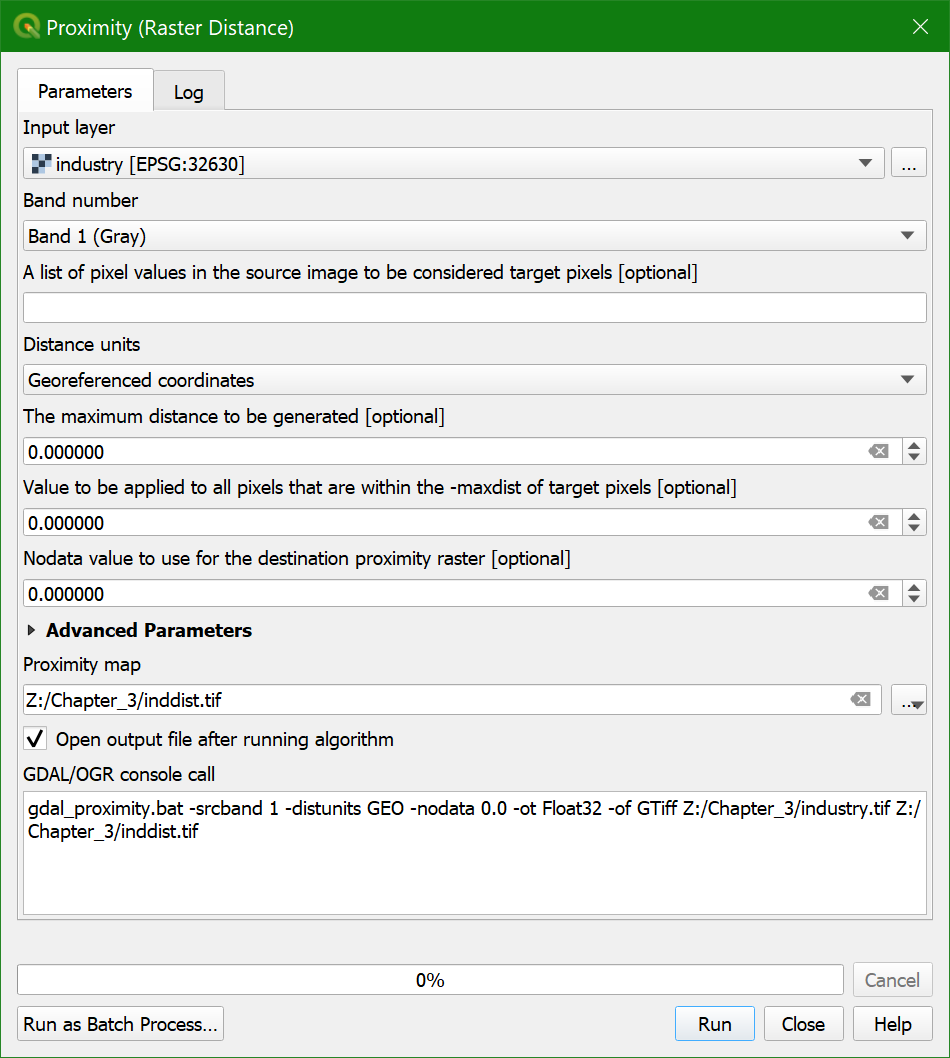
3. Check the result.
- Is the inddist layer a boolean, discrete, or continuous raster?
4. Make a legend that is appropriate for this raster type using Singleband pseudocolor as the render type. Use intuitive colors (e.g. a ramp from red to green).
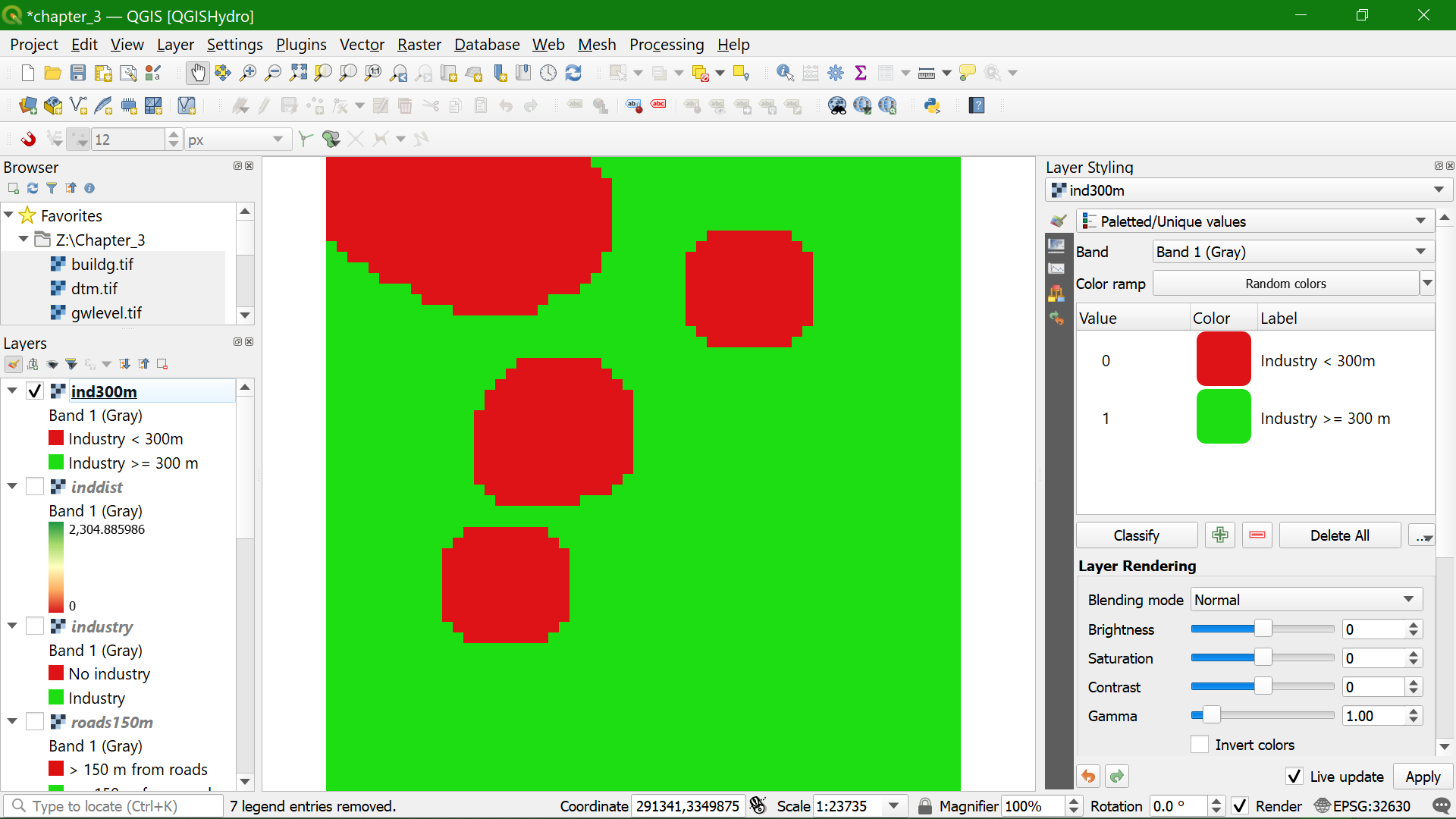
5. Use the Raster Calculator to calculate inddist@1 >= 300.
Call the output layer ind300m.tif.
- Is the ind300m layer a boolean, discrete, or continuous raster?
6. Style the ind300m layer.
Watch this video to check the steps in this section: