درس تعليمي: التحليل المكاني باستخدام جبر الخرائط
8. Report the results
8.1. Convert Raster Cells to Point Vectors
To present the end result, we can style the accessiblewells layer. However, it is nicer to present the wells as point features on the map. Therefore, we need to convert the well pixels to point vectors.
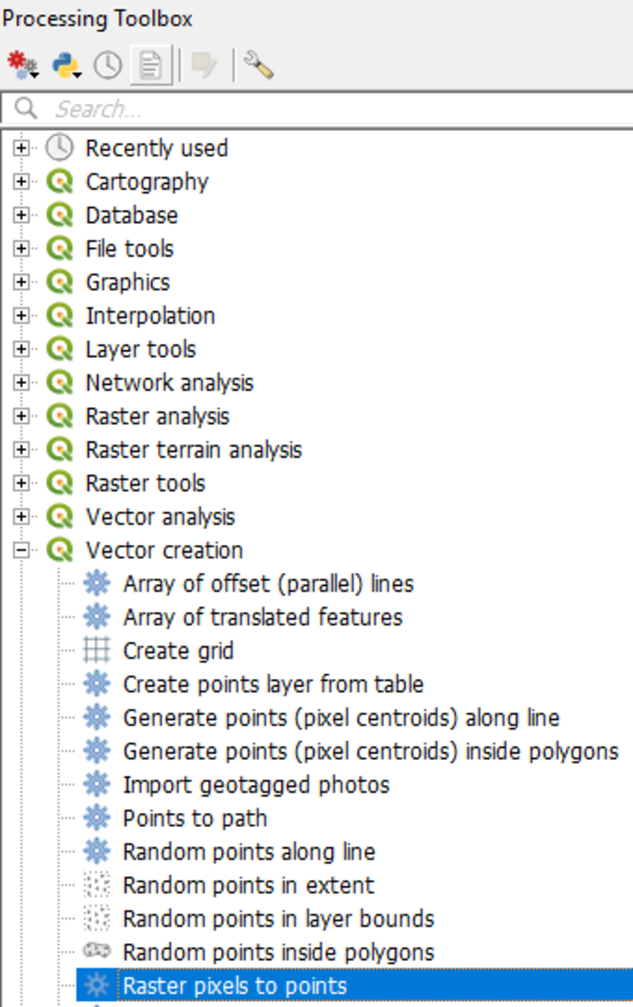
1. In the Processing Toolbox go to Vector creation | Raster pixels to points.
2. In the dialog choose
the accessiblewells layer as the input Raster layer. For Field name, enter Accessible. The raster values will be saved under this field in the attribute table. Choose wells.shp as the output Vector points layer.
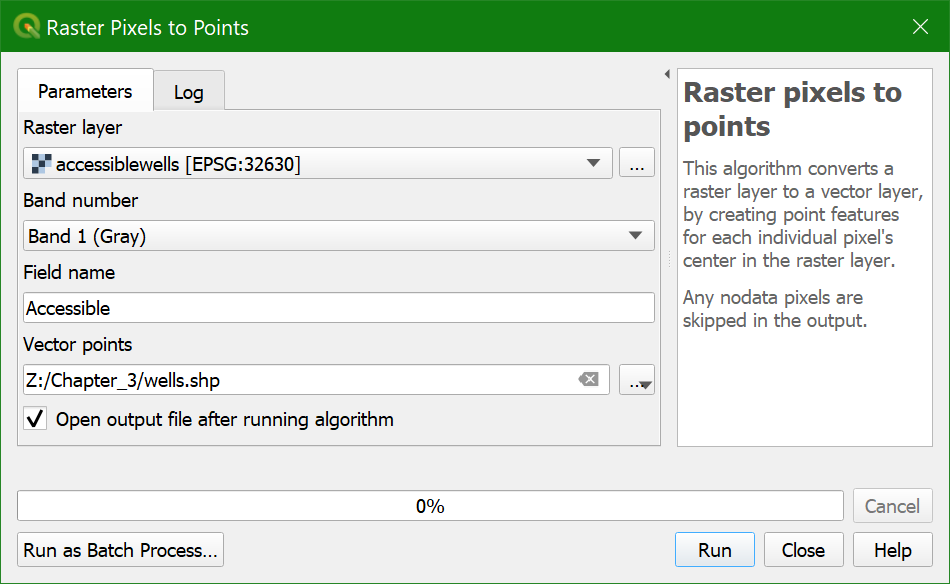
3. Click Run,
then Close when the conversion is finished.
Watch this video to check the steps in this section: