Create a Graphical Model and Processing Script for the HAND algorithm
7. Convert Graphical Model to PyQGIS
After testing the model, you can export the model to a PyQGIS script that you can further modify.
1. In the Model Designer, click  in the toolbar.

It will show the script in the Processing Script Editor.
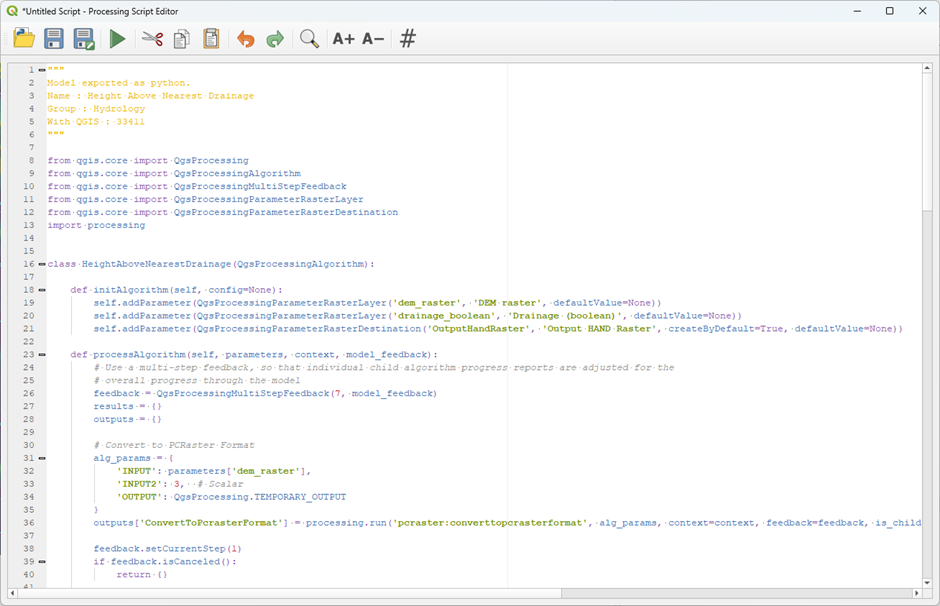
2. Read through the script and try to understand how the different tools were converted.
At the top of the script all necessary PyQGIS classes and packages are imported:
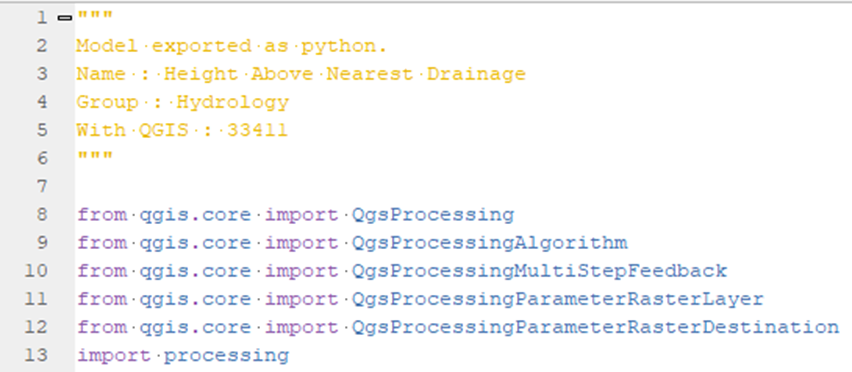
The a class with the name HeightAboveNearestDrainage is defined, with the following methods:
initAlgorithmdefines the input parameters that are neededprocessAlgorithmcontains all Python dictionaries with the parameters of each tool that has to be run. It also provides feedback to the user with the progress of the model.namedefines the name of the tool.displayNameis the name shown to the usergroupis the group to which the tool belongsgroupIDis an ID for the groupcreateInstanceinitiates the instance of the tool.
3. Click  to save the script. The scripts are by default saved in your current QGIS profile under \processing\scripts. Name the script hand.py.
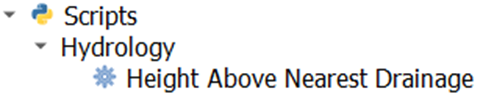
Now you’ll find the script in the Processing Toolbox under Scripts | Hydrology | Height Above Nearest Drainage.
4. Remove the outputs from the model run and run the script to check if it works.