
Install Nightly Build and plugins
Install the QGIS Nightly Build
- Make sure you have closed QGIS.
- Run the OSGeo4W installer that you can find in your QGIS installation folder.
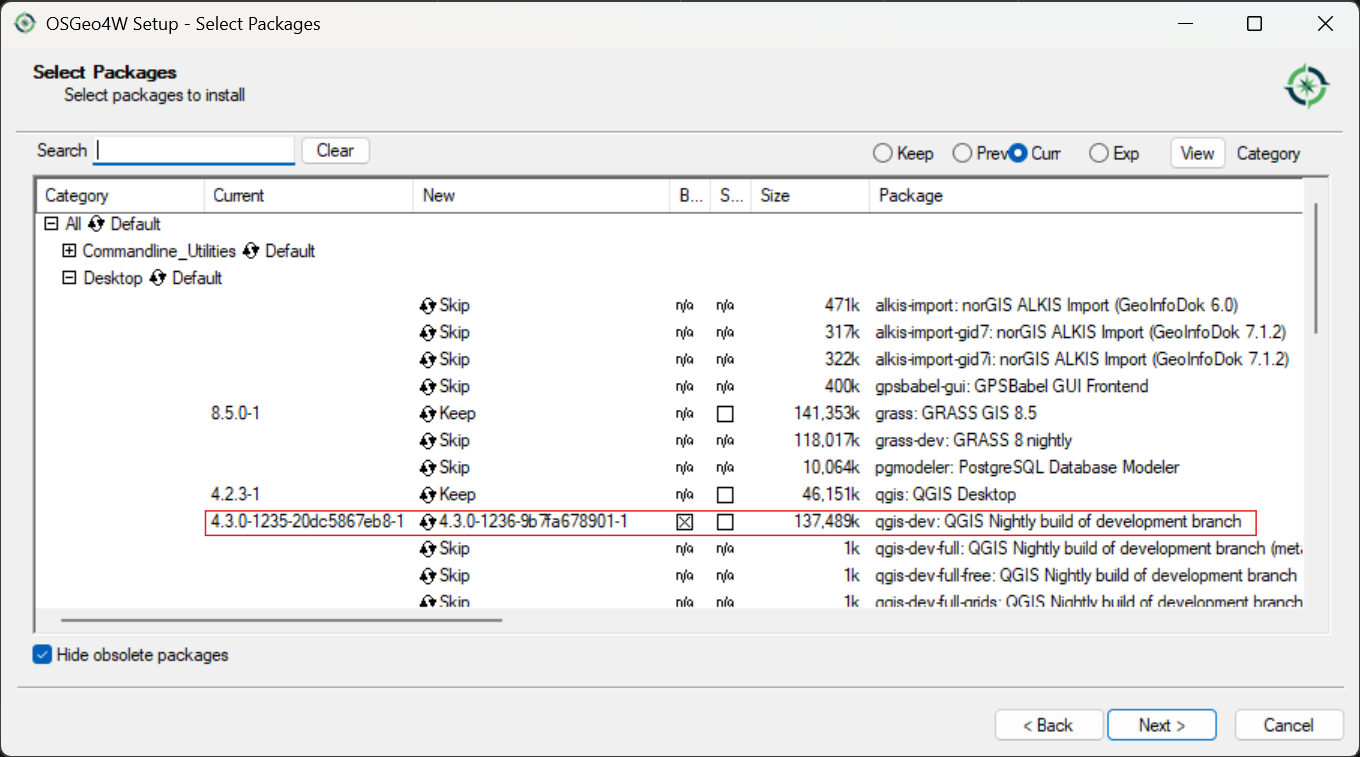
- Click through the wizard until you see the screen where you can modify packages.
- Install the nightly build like in the screenshot below and continue the wizard.
- Install the PCRaster Tools plugin following these instructions
- Install the Whiteboxtools plugin following these instructions
- Make sure that GRASS works from the Processing Toolbox.
Last modified: Thursday, 1 October 2026, 12:41 PM