
Course Introduction
2. Preperation
2.2. QGIS language settings
Before you start the first module, it’s helpful to change the language of QGIS to American English. This will make it easier to follow the instructions and find the correct buttons and settings. This module will be completed using QGIS in English.
Follow these steps to change the language to American English, or check if it is already set correctly:
-
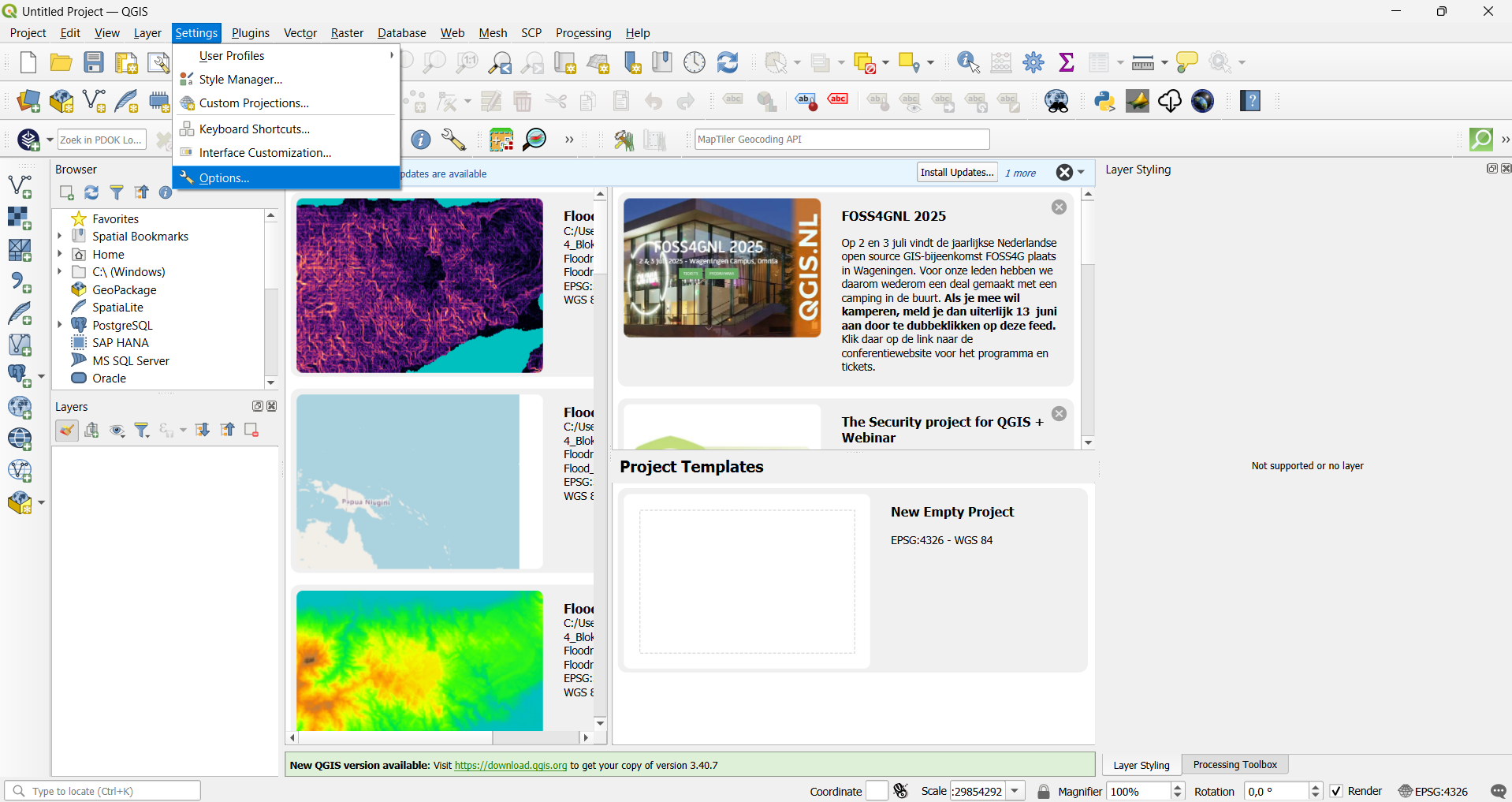
Open QGIS and go to Settings > Options.
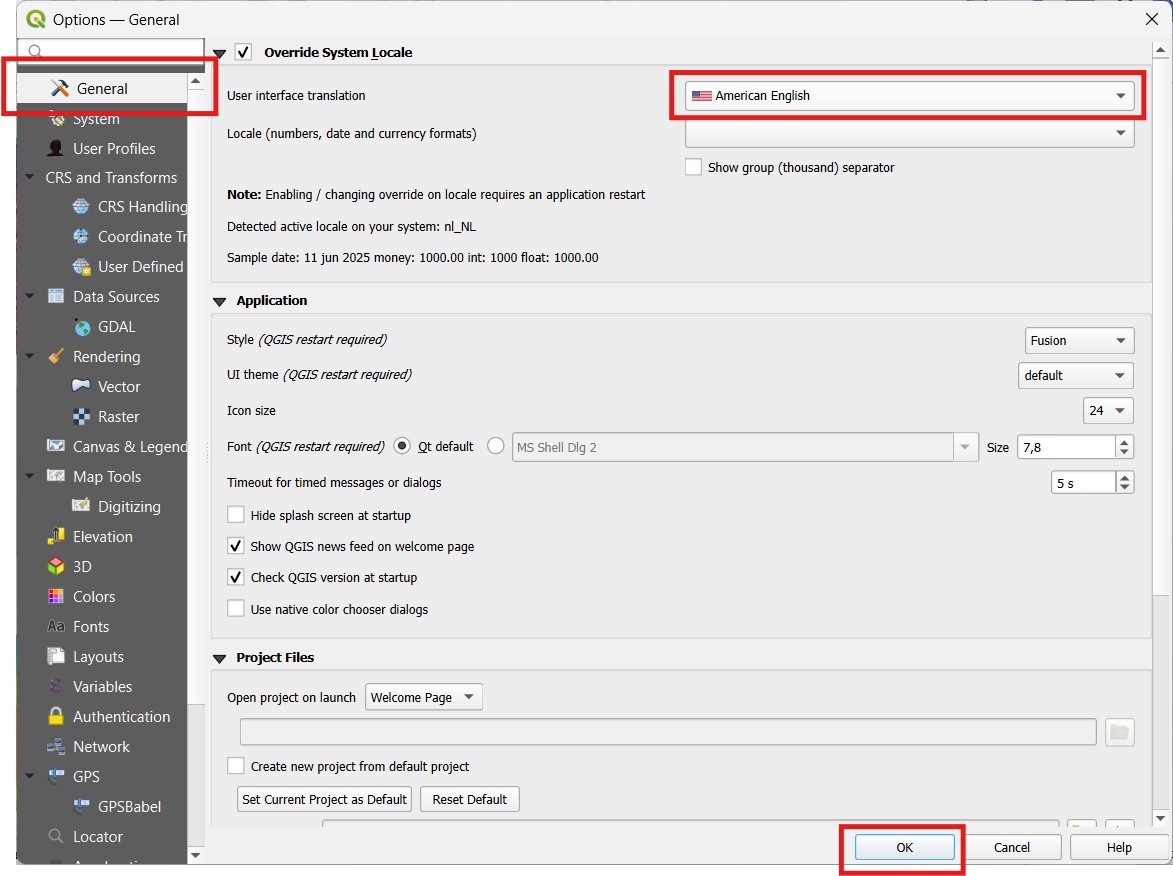
2. Click on the General tab.
3. Under User interface translation, select American English from the dropdown menu.
4. Click OK to apply the changes.
You can go on to the next chapter to learn more about a good mapstructure.
You are now ready to start the first module: Floods, to make a Floodriskmap