
Fire Risk Map
Learn how to create a Fire Risk Map using QGIS and remote rensing.
1. Introduction
1.4. Change Language
This course is provided in English. When you installed QGIS, your version may be set in a different language. To follow the module, it is recommended to set the language on English.
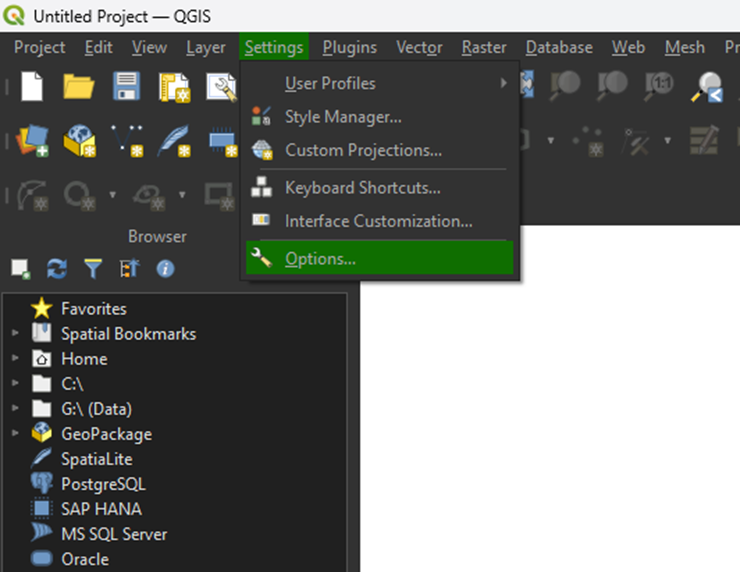
1. Go to the top bar and click on Settings > Options.
2. Click on the General tab.
3. Under User interface translation, select American English from the dropdown menu.
4. Click OK to apply the changes.
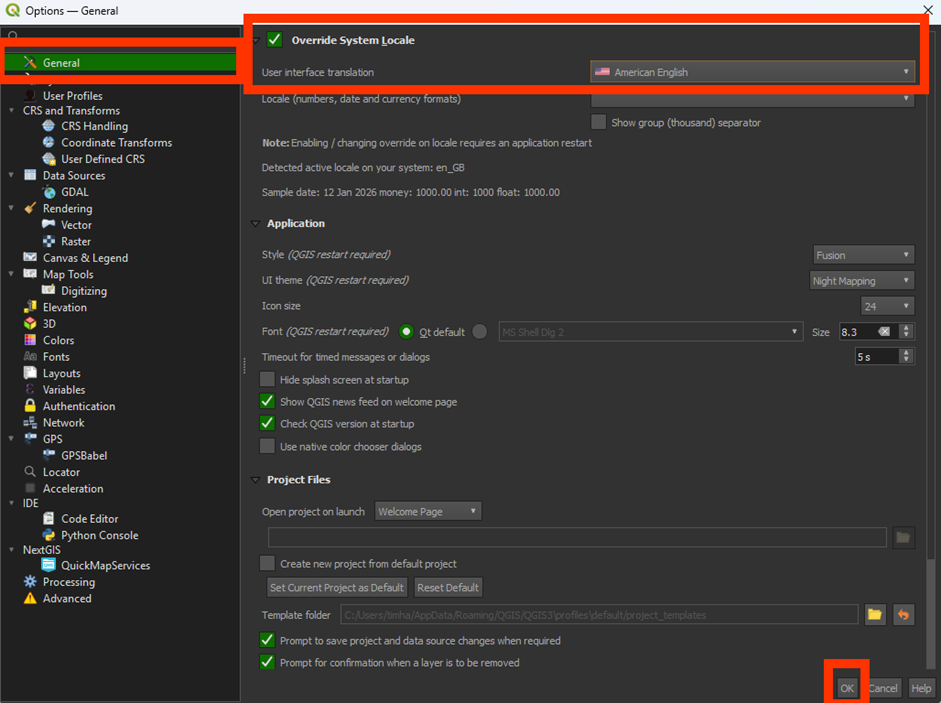
You'll have to restart QGIS to fully apply the new language.