
Fire Risk Map
Learn how to create a Fire Risk Map using QGIS and remote rensing.
1. Introduction
1.5. Plug-Ins
A plugin is an add-on for a programme, such as QGIS, that enables you to access extra functions that are not available by default.
Read more about plugins in QGIS here.
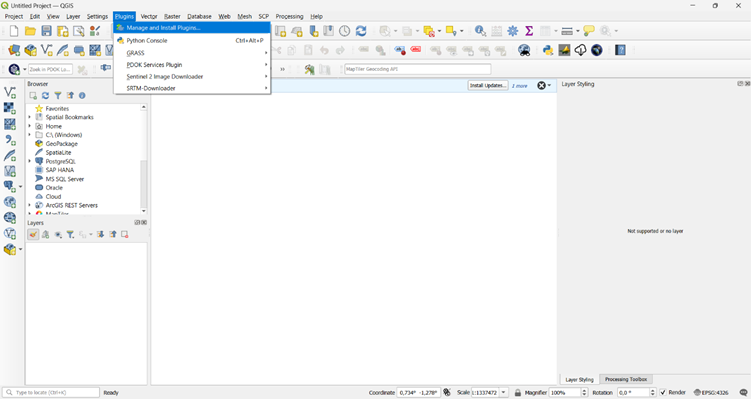
1. In QGIS, go to Plugins > Manage and Install Plugins.
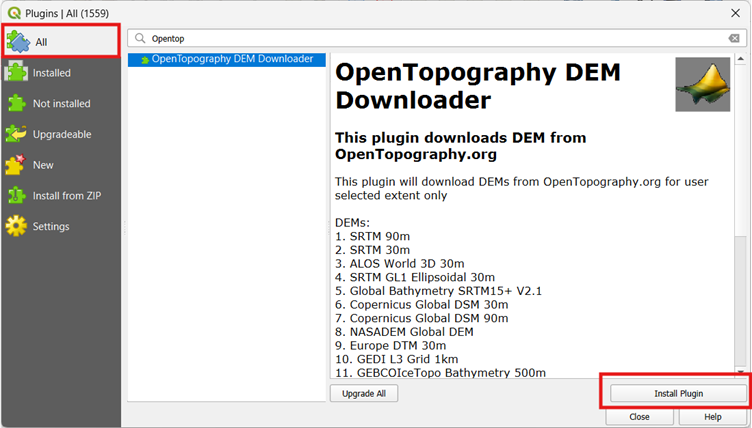
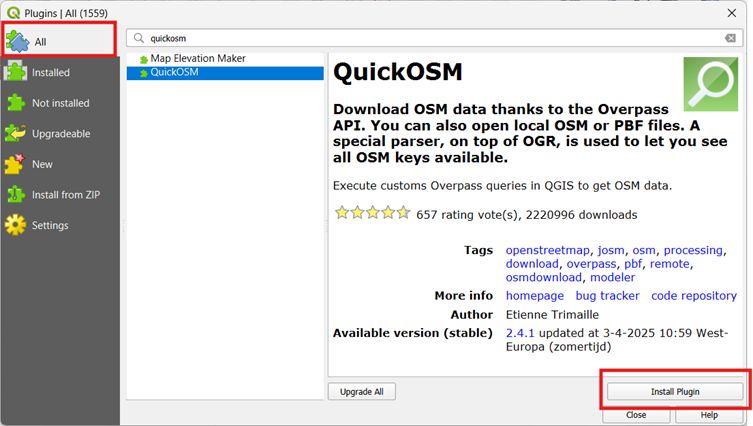
2. Select the All tab and use the search bar to find and install the following plugins:
OpenTopography DEM Downloader:
Quick OSM:
3. Once you see that the plugins are installed, click on Close.
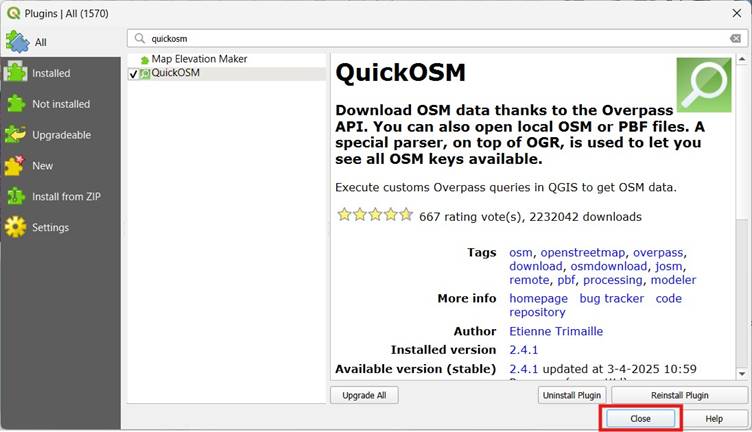
You have now installed the plug-ins. Go to the next step to get the necessary data.