
Fire Risk Map
Learn how to create a Fire Risk Map using QGIS and remote rensing.
4. Weighted Overlay Analysis
4.4. Roads and Buildings
Finally, we have the Roads and Buildings layers. We will Reclassify these in a similar way.
1. Open the Reclassify by table tool again and make sure the Roads_RasterBuffer layer is selected.
2. In the table, fill in the values down below. The minimum and maximum values represent the ring buffer distances we created earlier:
|
Minimum |
Maximum |
Value |
|
0 |
200 |
10 |
|
200 |
400 |
8 |
|
400 |
600 |
6 |
|
600 |
800 |
5 |
|
800 |
1000 |
4 |
|
1000 |
1200 |
2 |
|
9999 |
0 |
Research has shown that the closer an area is to human settlements like buildings or roads, the more likely fire is to occur. This is because human intervention is the cause of 80%-85% of all forest fires worldwide. This intervention ranges from accidents happening involving fire, to fires that are set on purpose and grow out of control. This is why for both distance to roads and distance to buildings, a higher risk value is given to areas that are closest to these human settlements.
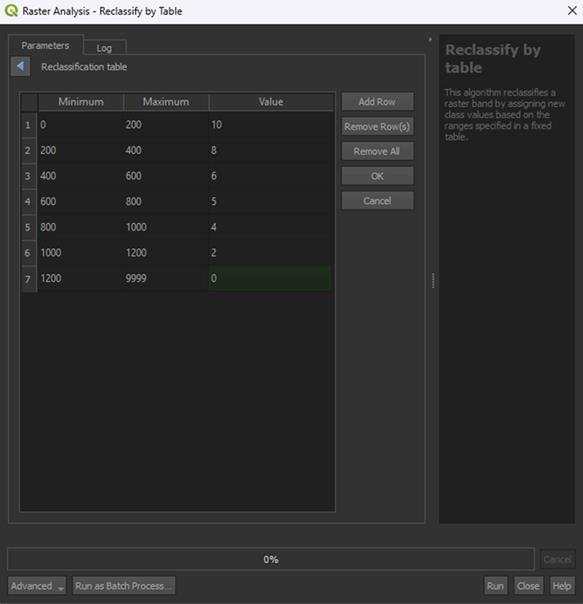
3. Click OK, then save the Permanent layer as Roads_Reclassified and Run the tool.
Note: The Range boundaries can stay on min < value <= max, unless you used the Proximity tool instead of the Multi-ring buffer tool. Then you need to set it on min <= value <= max instead.
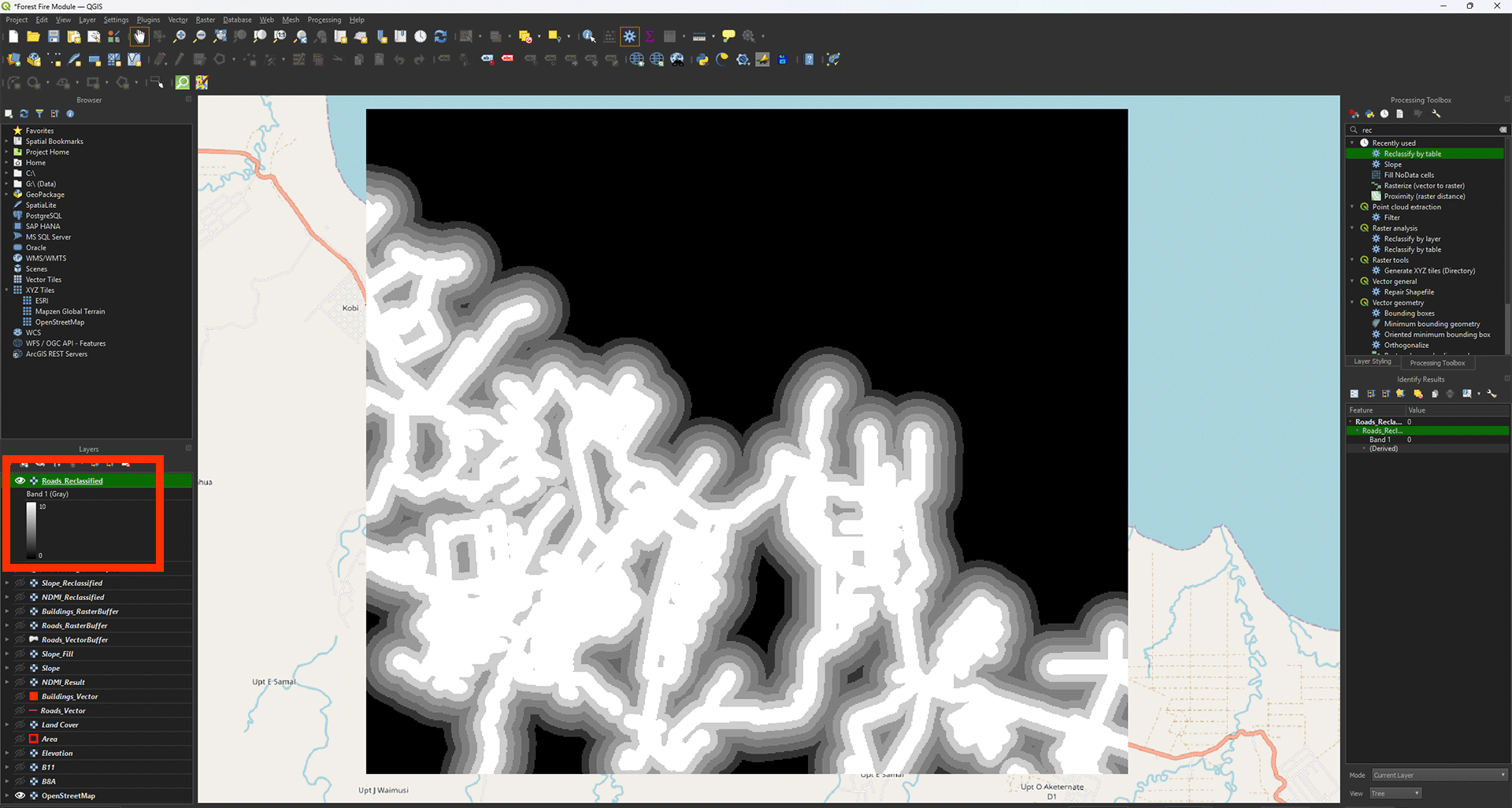
Now we get the layer with all the empty spots filled in. You can check the values with Identify Features (ctrl + shift + i). Everything outside of the 1200-meter buffer should say 0 (coloured in black).
4. Now, do the same for the Buildings_RasterBuffer layer using the table below:
|
Minimum |
Maximum |
Value |
|
0 |
400 |
10 |
|
400 |
800 |
8 |
|
800 |
1200 |
6 |
|
1200 |
1600 |
5 |
|
1600 |
2000 |
4 |
|
2000 |
2400 |
2 |
|
2400 |
9999 |
0 |
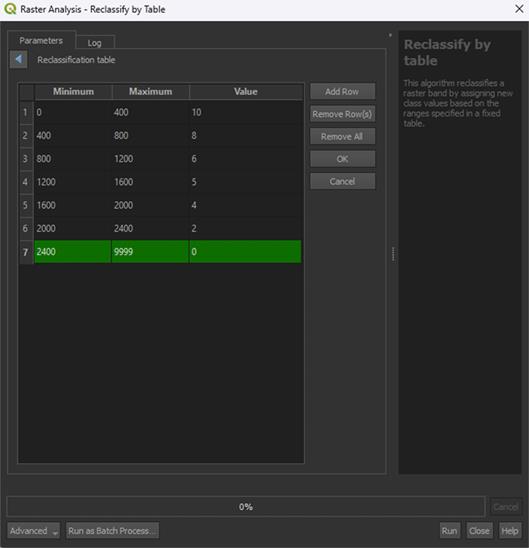
5. Click OK and set the Range boundaries on min <= value <= max. This is only to get rid of the building pixels, which would get a value of 0. It doesn’t matter too much, but it is a bit messy otherwise.
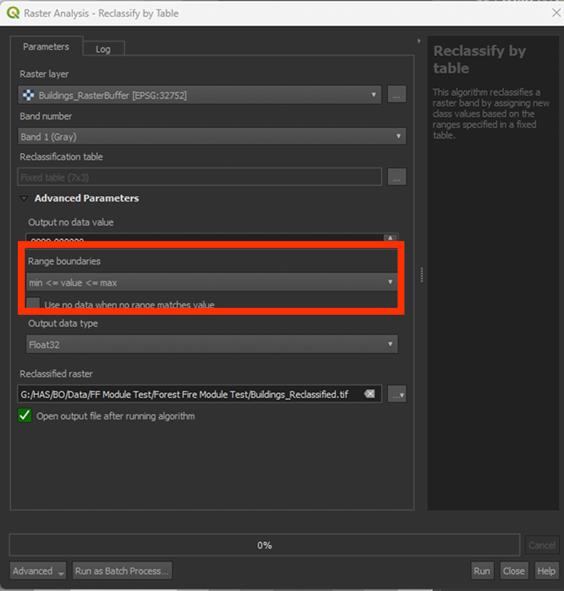
6. Save the Permanent layer as Buildings_Reclassified and Run the tool
Note: You may see some errors when you Run the tool. This is just because of the Range boundaries adjustment. This is expected behaviour.
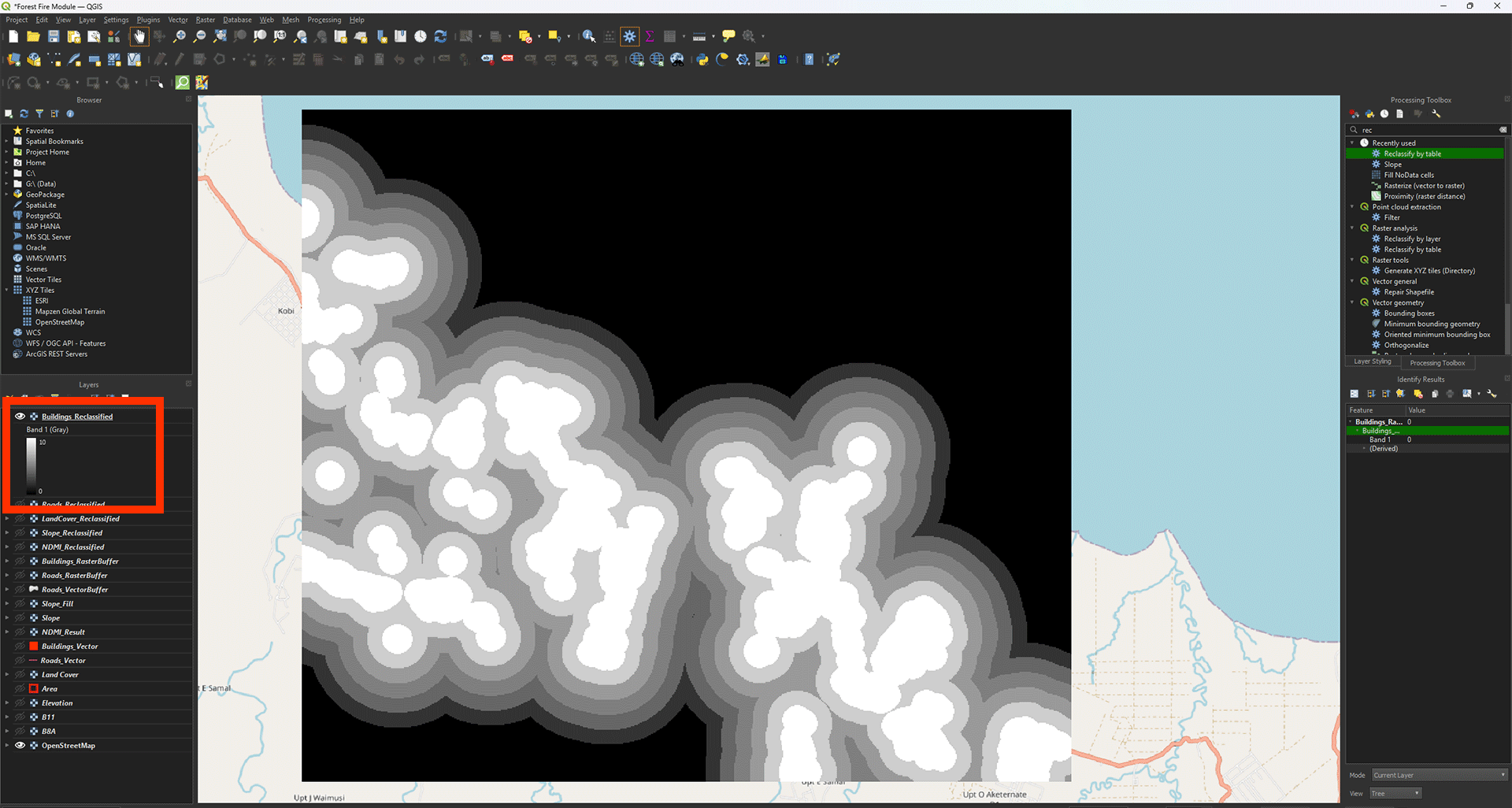
You have done all the scoring of the layers. We will now continue to the final step of creating the Fire Risk Map itself.
Don’t forget to save your project.