
Tutorial: Remote Sensing Image Classification with QGIS
5. Using the Semi-Automatic Classification Plugin
5.4. Clip to Study Area
The study area covers only a part of the downloaded Sentinel-2 image. If you use the full image, calculation times will be very large. SCP provides a tool to clip (subset) the satellite image.
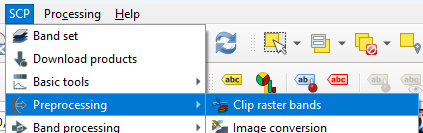
- In the main menu, go to SCP | Preprocessing | Clip raster bands.
- Click to select the boundary coordinates in the map canvas as you did before.
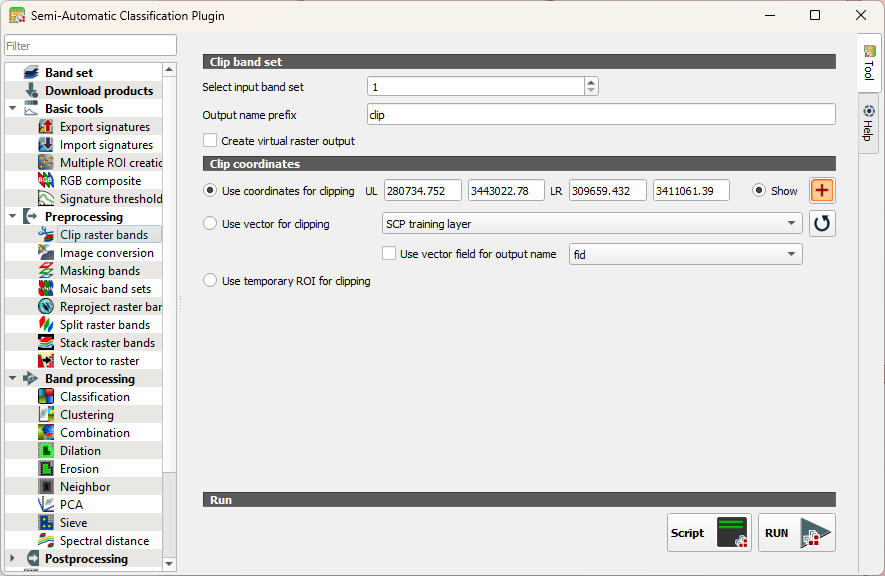
- Click RUN.
Now we have to create a new band set for the smaller area.
4. Go to the Band set tab and click  to add a new band set or select the empty band set 2 if it's there.
5. Click  to select the files.
6. Under Band quick settings set the Wavelength, Wavelength unit and Date as you did before.
7. Make sure that the Active band set is 2.
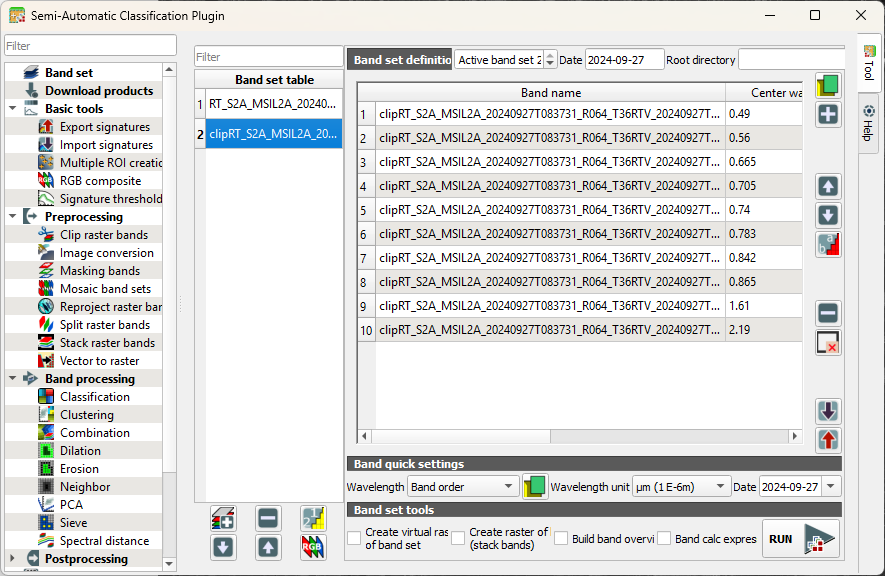
8. Click  to load the colour composite.
9. Close the dialog and check the result.
Next, we'll create signatures from the training polygons.