Tutorial: Stream and Catchment Delineation
7. Styling the Flow Direction Layer using Arrows
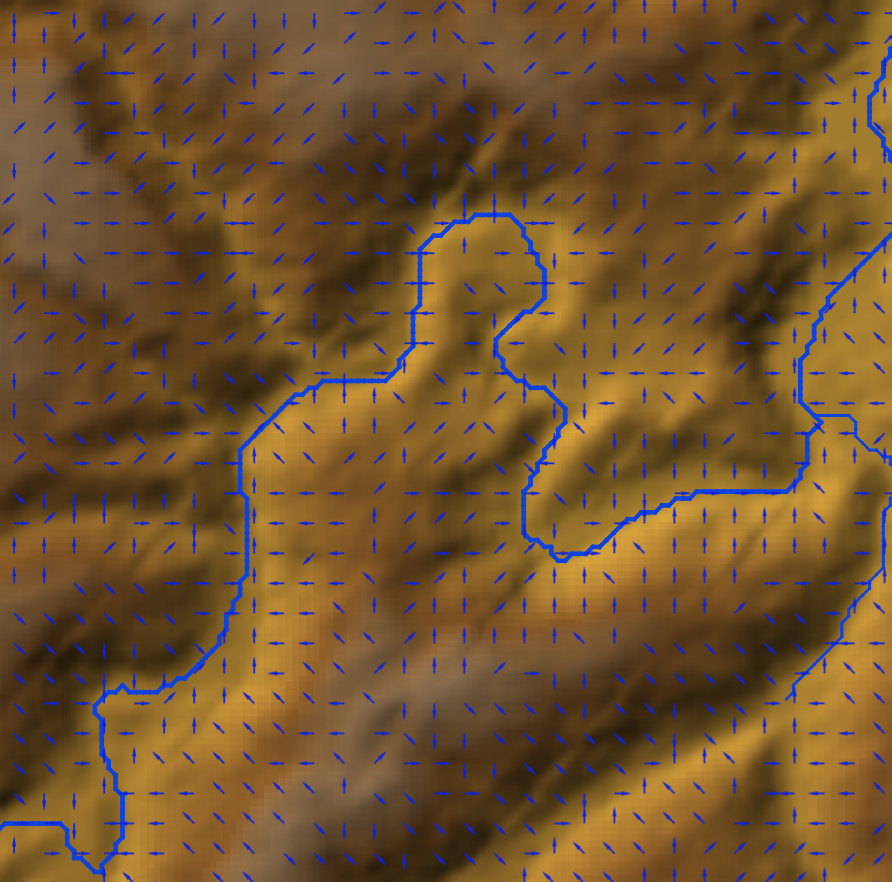
We can further style the flowdirections layer by rendering the layer with arrows.
1. Select the flowdirections layer in the Layers panel and open the Layer Styling panel.
2. In the Layer Styling panel, change the renderer to Vector field. Choose at Vectors from Encoded direction and choose for Encoding SAGA.
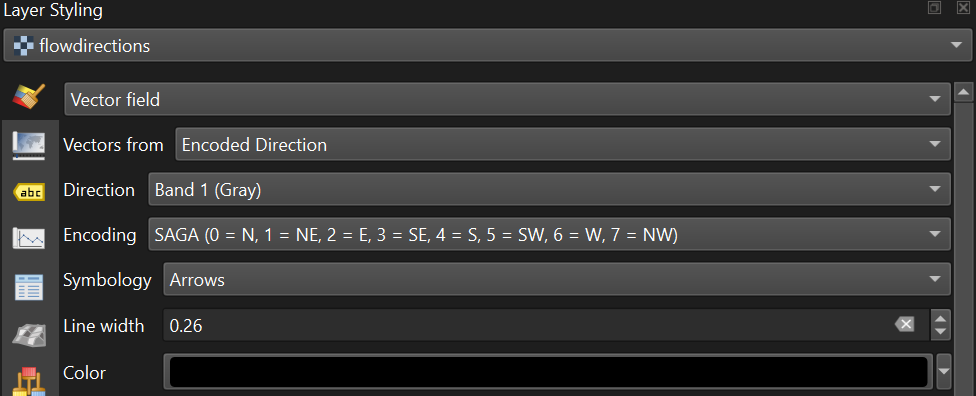
3. Change under Arrow Length the Length to 2.00. Change the Color to dark blue.
4. Zoom in to see the flow direction with arrows.
5. Check the box to Display on User Grid to show the arrows fixed to a grid, e.g. with an X and Y Spacing of 10 px.
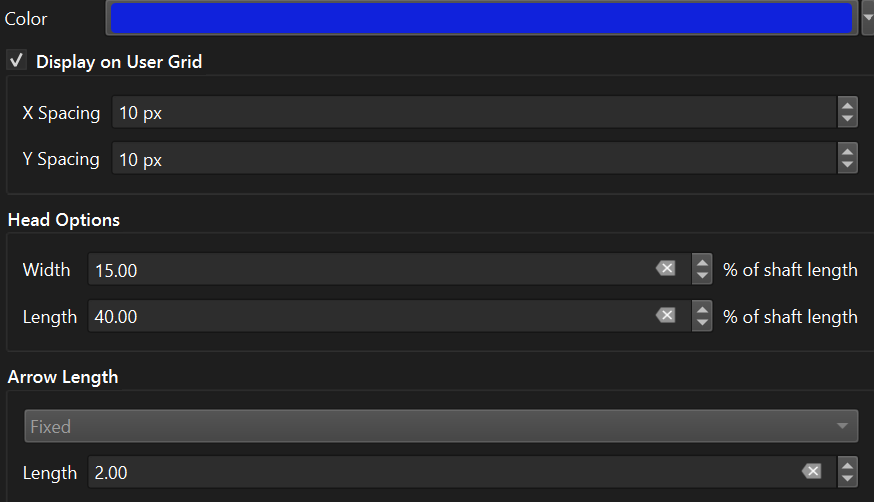
The settings are depending on your zoom level. Play with the settings to get a nice result. You can also try the other Symbology settings for visualization as Streamlines and Traces.