
درس تعليمي: التحليل المكاني باستخدام جبر الخرائط
5. عدم وجود صناعة أو مناجم أو مكبات نفايات ضمن مسافة 300 متر من الآبار
5.1. Create a Boolean Raster with True for Industry, Mine, and Landfill, and False for Other Buildings
1. From the Processing Toolbox menu choose Raster analysis | Reclassify by table.
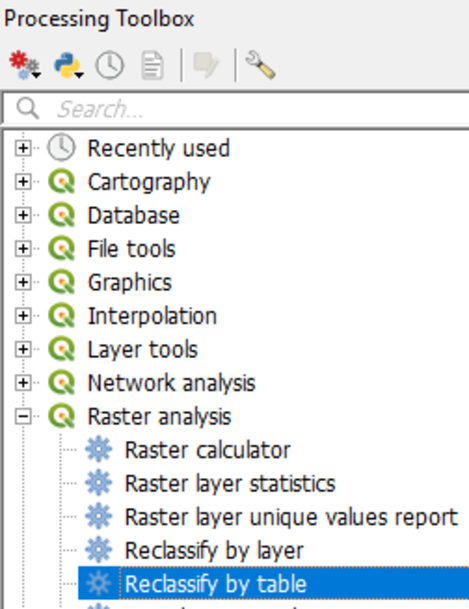
The Reclassify table dialogue appears. We are going to reclassify the buildg raster using a lookup table.
2. Fill in the dialog exactly as in the figure below.
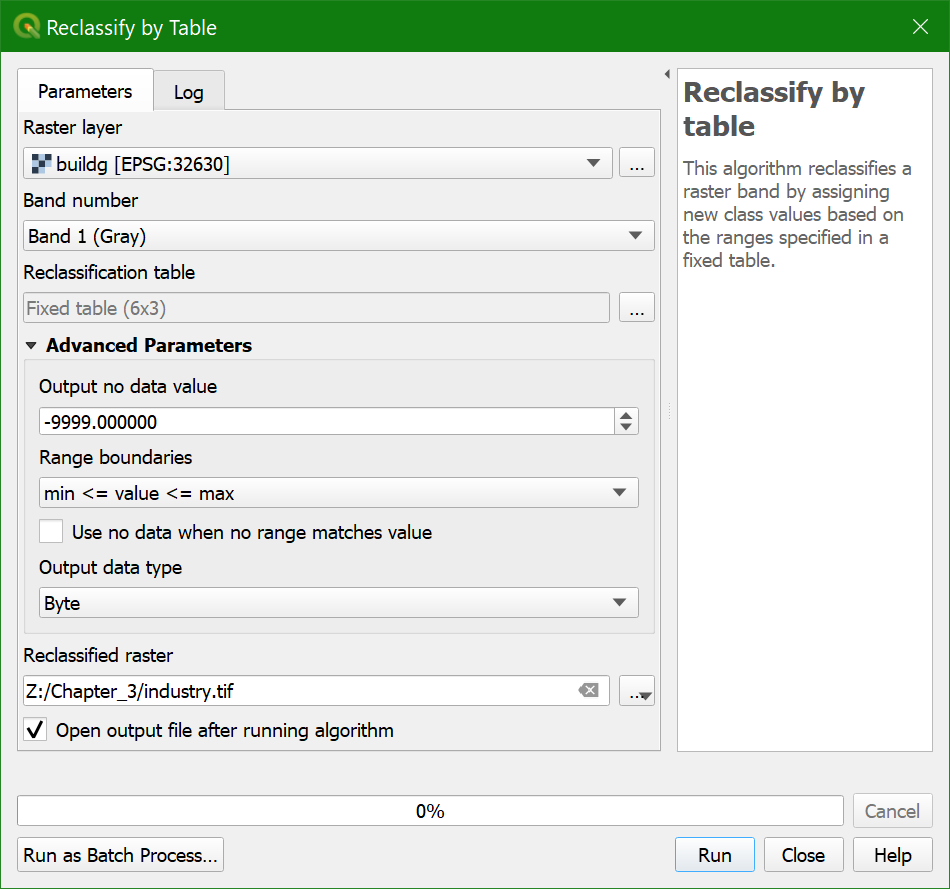
Here you can identify a nodata
value for the output layer for values that are excluded from the lookup table. The Range boundaries define if values are included or excluded from the ranges in a row of the lookup table. Here we don't use ranges, but reclassify each value.
Therefore we choose min <= value <= max. For the Output data type we use Byte because the output values are whole numbers (boolean zero and one) that fit in 8 bits (0-255).
3. Go to Reclassification table and click  .
.
4.
Fill in the lookup table as shown in the figure below.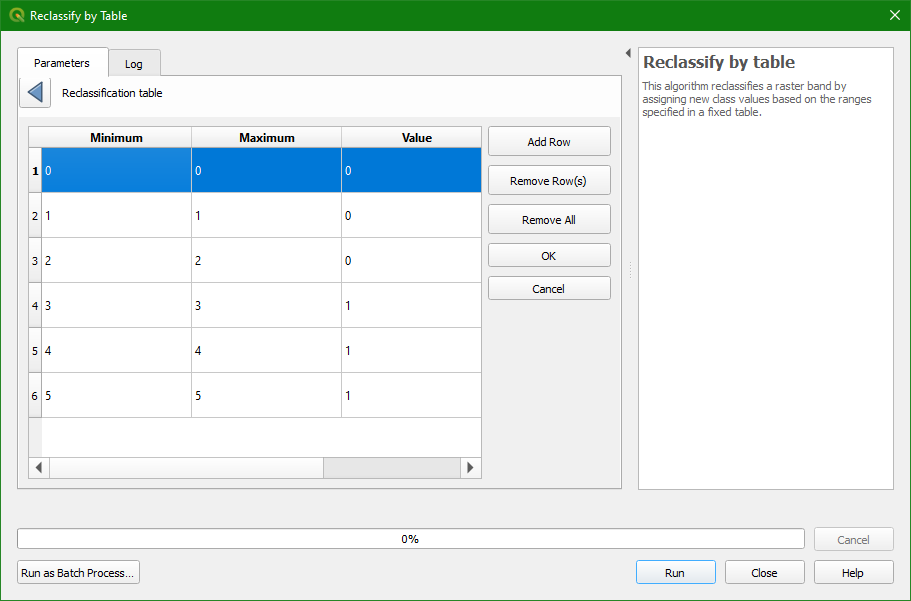
5. Click OK and Run. Close the dialog
when the processing is finished.
6. Check the result: 1 for mines, industry, and landfills, 0 for the other classes. Use the Identify tool  and click on the map. On the lower right panel you can find the identify results. It displays the value of the pixel of the selected layer in the
Layers panel. You might have to resize the columns to see the pixel values.
and click on the map. On the lower right panel you can find the identify results. It displays the value of the pixel of the selected layer in the
Layers panel. You might have to resize the columns to see the pixel values.
- Is industry a boolean, discrete, or continuous raster?
7. Style the industry layer.
Note that we could get the same result using the Raster Calculator.
- Which expression would you have used for this in the Raster Calculator?