
Preprocessing a DEM and calculate flow direction
4. Styling the DEM and Generating Contours
4.3. Blend DEM Colours with Hillshade
Next, you will blend the DEM with the hillshade layer.
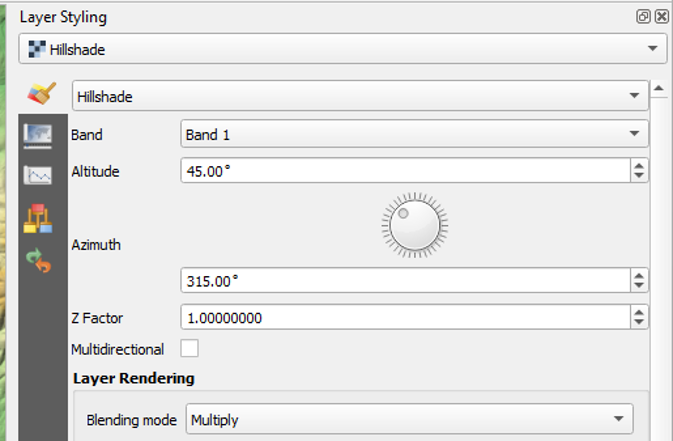
1. In the Layer Styling panel make sure the hillshade layer is selected. In the Layer Rendering block of the panel, change the Blending mode to Multiply.
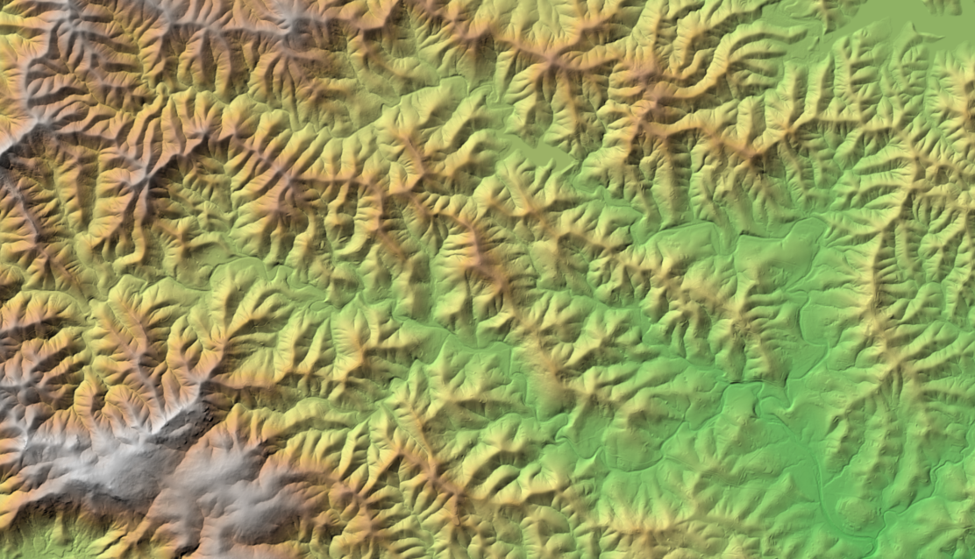
As you can see, blending gives a much nicer effect than transparency. With transparency the colours will fade. Now we can clearly see the elevation differences: the gradient from south to north and the valleys where we expect the streams.
Blending modes allow for more elegant rendering between GIS layers. They can be much more powerful than simply adjusting layer Opacity. Blending modes allow for effects where the full intensity of an underlying layer is still visible through the layer above. There are 13 blending modes available. See the QGIS Documentation for more information.
In the next section, we'll add elevation contours.